ChargeMatter: From $7 POC to production — and why build still beat buy
The full story: a weekend build that worked, what it actually cost to harden for production, and an honest buy vs. build analysis.

Repo: https://github.com/nmayalais/ChargeMatter
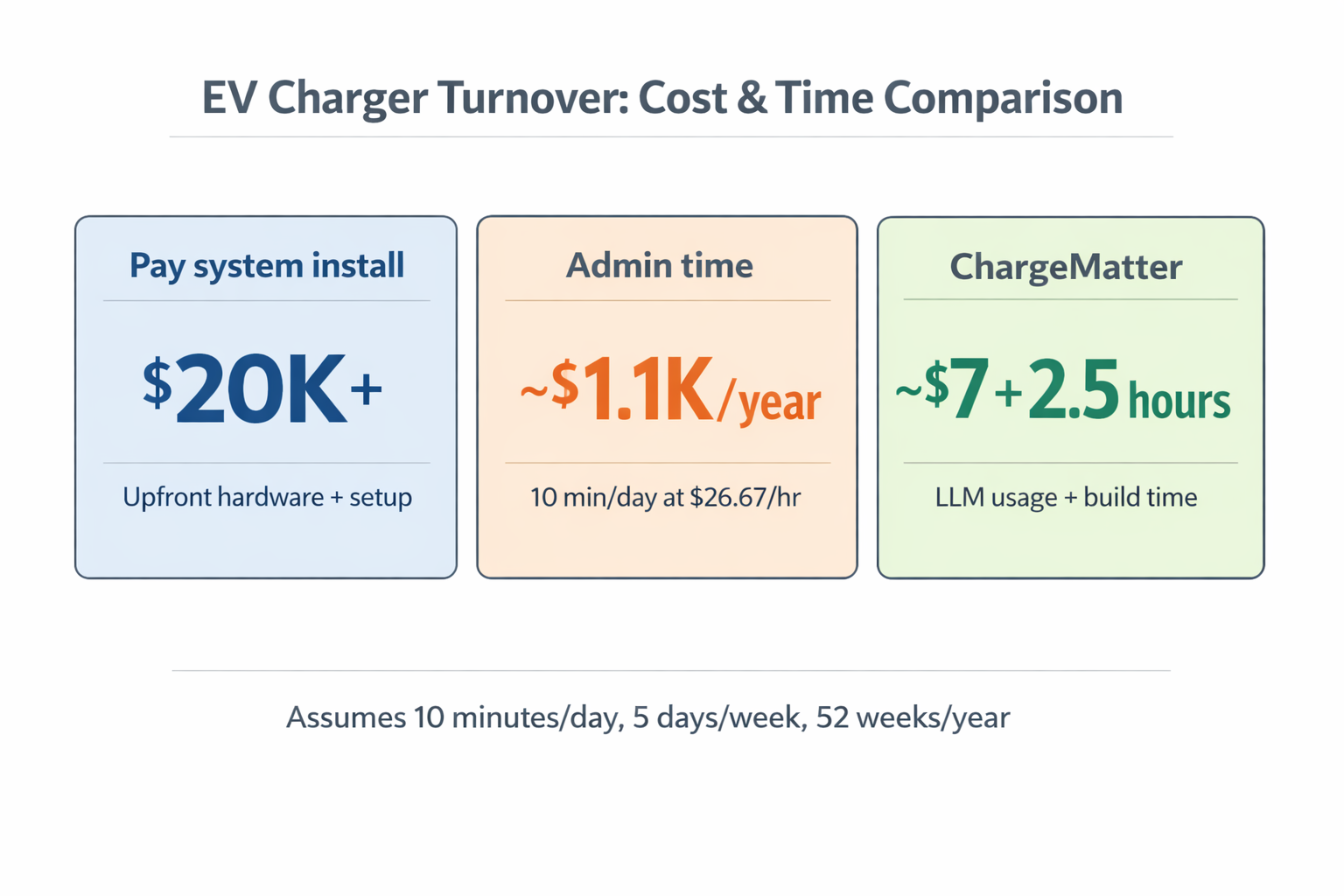
This project cost about $7 in OpenAI Codex usage and ~2.5 hours of build time. The alternatives were a $20K+ pay-to-charge system or ongoing admin time (~$1.1K/year) just to coordinate turns. I built a lightweight internal web app instead. And it actually gets used.
We had a normal workplace problem: EV chargers in the parking lot were “first-come, first-served,” with no system to enforce turnover.
The pattern was predictable. You’d roll into the lot, see every charger occupied, and have no idea if someone was unplugging in 20 minutes or 6 hours. Slack would light up with polite nudges, then follow-ups, then quiet frustration. People would charge and stay parked for 6 to 10 hours. The chargers were technically working, but practically unusable.
The business case
We needed a lightweight, internal-only solution that would:
- Increase charger turnover
- Reduce daily Slack nagging
- Be easy to use on mobile (the place where it matters)
- Require almost no admin time
Options we considered (and rejected)
Option A - Google Sheet sign-in/out A spreadsheet is a blunt instrument. It’s clunky on mobile, hard to enforce, and creates admin overhead. The UX isn’t built for someone pulling into a lot and trying to charge quickly.
Option B - Make it an office manager’s responsibility If an office manager spends just 10 minutes/day handling “charger turn-taking,” that’s ~0.83 hours/week. At $26.67 to $27.25/hour, that’s $1,150 to $1,180/year in admin time, before interruptions or disputes.
Option C - Build a set-it-and-forget-it tool With AI and modern tooling, this is the sweet spot: low cost, minimal maintenance, better user experience. I built the first version in ~2.5 hours.
The solution: ChargeMatter
I didn’t want a big system. I wanted something that felt as easy as grabbing a parking spot, but fair enough that people would actually respect it.
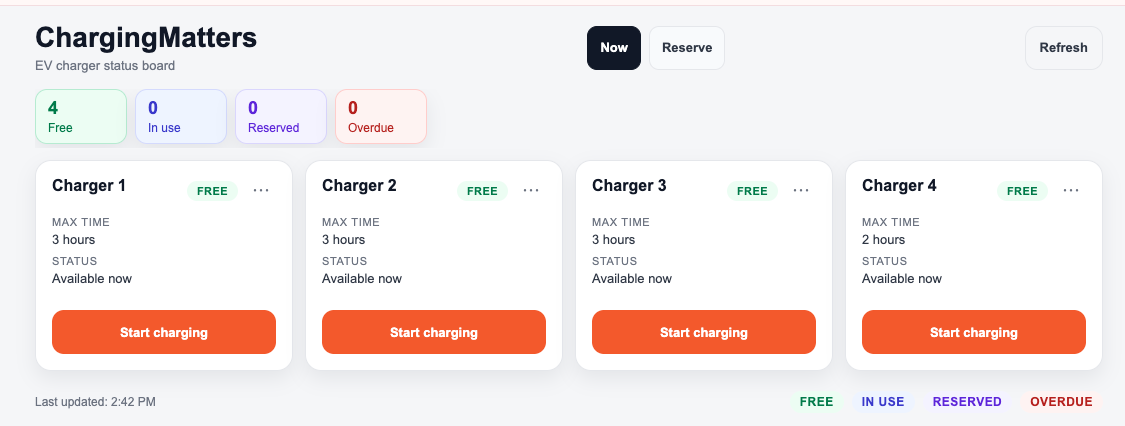
ChargeMatter is a tiny internal web app that adds fairness and accountability without being heavy-handed:
- Users can charge now, reserve, and check in
- The system sets a fixed time limit per charger
- It sends reminders via Slack or email (10 min, 5 min, and at expiration)
- If a session is overdue, it’s visibly marked for everyone to see
The first time we used it, the behavior shifted immediately. People knew the window. People could plan. The “nagging” moved from a person to the system. That changed the tone overnight.
Why I built this (and why it matters)
Yes, the business case was obvious. But the real reason I did this was to prove a bigger point to myself: small, real-world problems are the best on-ramp to building with AI.
I don’t read or write code day-to-day. Historically, my technical ceiling was Myspace themes and Excel macros. But with a tight scope and a clear prompt, I shipped something real in a couple hours.
If you’ve read my pieces on vibe coding or ship fast, build strong, this is that playbook in the wild: start with the pain, ship fast, then harden the edges that matter.
The takeaway isn’t “build an EV app.” Internal tools can compound. Solve one low-risk, high-friction workflow and you build momentum, credibility, and a new bar for what you can ship.
Technical details (simple by design)
Stack
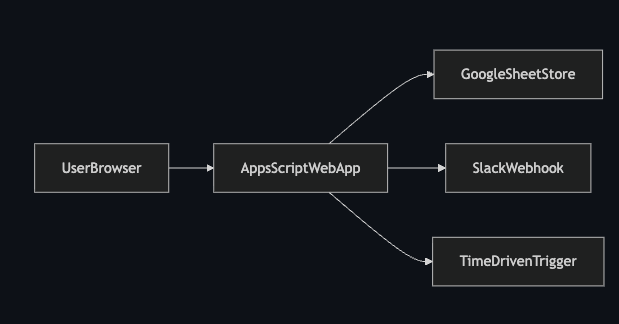
- Google Apps Script web app (server + UI)
- Google Sheets as the database
- Slack DM or webhook notifications (email fallback)
- Time-driven triggers for reminders and no-shows
Security
- Locked to company domain only
- Admin actions gated by an allowlist
How it works (high level)
- A simple form writes sessions and reservations to a Sheet
- A scheduled trigger checks time limits and sends reminders
- Overdue sessions are flagged so the queue stays honest
How I built it in 2.5 hours (the vibecoding approach)
I started with a simple prompt to ChatGPT:
Help me create a PRD for a very simple web app that is both desktop and mobile friendly. Problem: EV chargers at work have no reservation-like system. Ask me questions to refine. Simple is key. Only allow users with our company email domain.
In a few minutes, I had a clean, focused PRD. That became my blueprint.
What I got right
- Clear problem framing (chargers were being blocked, not broken)
- Tight scope (no feature creep)
- Automation (reminders handle most of the behavior change)
What I messed up (and learned fast) The UI was awful at first: not mobile-friendly, hard to scan, and painful to use. Most of my time was iterating on the user experience so it actually worked in a parking lot on a phone.
That was the real lesson: speed is possible, but usability is everything for small internal tools.
If you’re curious, the code is public here: https://github.com/nmayalais/ChargeMatter
Update: What it actually cost to go from POC to production
March 2026
The $7 and 2.5 hours got us something real. People used it. The Slack noise dropped.
But “people are using it” isn’t the same as “it handles every edge case correctly.”
Once we started running it daily, the gaps showed up fast.
Users found ways to break things we hadn’t considered. What happens if someone checks in early? What if an admin ends a session on behalf of someone else? What if two people try to grab the same spot at exactly the same time? What if a user charges, leaves, comes back — are they “new” again or returning?
Each of those questions became a feature. Features became rules. Rules needed tests.
By the time we were done, the codebase had grown significantly:
- A full reservation system with walk-up priority tiers (net-new users get first access, then returning users, then open to all)
- A strike and suspension system for no-shows
- A parallel Node.js testing environment mirroring the production Google Apps Script code, because you can’t run unit tests directly in Apps Script
- A mobile-first UI rewrite: skeleton loading, real-time countdowns, auto-refresh when you return to the tab
- A comprehensive Jest test suite covering policy enforcement, check-in edge cases, admin flows, and UI rendering
By the numbers:
- 12,911 lines of code across 47 commits over 39 calendar days
- 19 Claude Code working sessions, roughly 29 hours of active AI generation
- My time directing, reviewing, testing, and deploying: about 50 hours
The honest cost breakdown:
- Claude Pro subscription (~6 weeks): ~$26
- My time (50 hours at my market rate): ~$6,250
- Total true cost: ~$6,276
For comparison: a senior developer building the same thing from scratch would take an estimated 1,050 hours at ~$135/hour, roughly $141,750.
That puts the true multiplier at around 22x return on the real cost. If you count only the subscription cost, it’s closer to 5,000x. But that number isn’t honest without accounting for the hours I spent driving the work.
A solo developer would need roughly 1,050 hours. Claude and I together logged about 79 total hours. That’s a 13x speed multiplier. Not the 36x you get counting only Claude’s time, but still the difference between a multi-month project and a five-week evenings-and-weekends build.
The “$7 and 2.5 hours” headline was accurate for the POC. It got the point across. But it undersells what it actually takes to go from “thing that works” to “thing you trust.”
The real story isn’t $7. It’s $6,276 and five weeks of evenings, to produce something that would’ve cost $140K+ and months of calendar time to hire out. That’s still an extraordinary deal. It just requires honesty about what “done” actually means.
The POC proved the idea. The production version proved the approach scales.
Could you have just bought something instead?
Fair question. I looked into it after the fact.
There’s a real market for this. A few products worth knowing about.
Parkalot ($49–$99/month) is the closest thing to a software-only layer for workplace EV booking. No hardware dependency. You connect it to whatever chargers you already have and get a reservation and waitlist system out of the box. At $49/month, that’s $588/year.
Wayleadr ($999/year minimum) is a broader workplace platform covering parking, EV charging, and visitor management. It also works without replacing your hardware.
AmpUp ($175/year) sounds almost too good until you read the fine print: it requires AmpUp-compatible charger hardware. If your chargers are already installed, you’re looking at a replacement project before you can even start.
ChargePoint is the enterprise answer. $280–$800 per port per year, plus they want you on their hardware ecosystem. For four chargers that’s $1,100–$3,200/year in software fees alone, before you factor in replacing the equipment you already own.
The break-even math is uncomfortable. I spent $6,276 to build something you can subscribe to for $588/year. Buying beats building on pure cost until about year 11.
So should I have just bought Parkalot?
Maybe. If all I needed was a booking queue, probably yes.
But here’s what none of those products have: the policy engine.
Walk-up priority tiers, where first-time chargers get access before returning users, who get access before everyone else, isn’t a configurable feature. It’s a custom rule we invented based on how our office culture actually works. The no-show strikes and suspensions, the grace periods, the “did this person already charge today” logic — none of that exists in Parkalot or Wayleadr. It’s business logic that reflects specific decisions we made about fairness.
Off-the-shelf gets you a reservation form. It doesn’t get you an enforcement system tuned to your culture.
There’s also the hardware problem. Our chargers were already installed and working. Most of the products worth using require you to replace your equipment to unlock the software. That’s not a software decision. That’s a capital expenditure conversation with facilities.
If your problem is “people need to book a slot,” buy. Parkalot is good and $49/month is hard to argue with.
If your problem is “people need to follow rules and there are consequences when they don’t,” build. No product ships with your rules baked in.
We had the second problem. The build was the right call. The $6,276 wasn’t just for a reservation system. It was for one that actually works the way we think about fairness.
Keep Reading
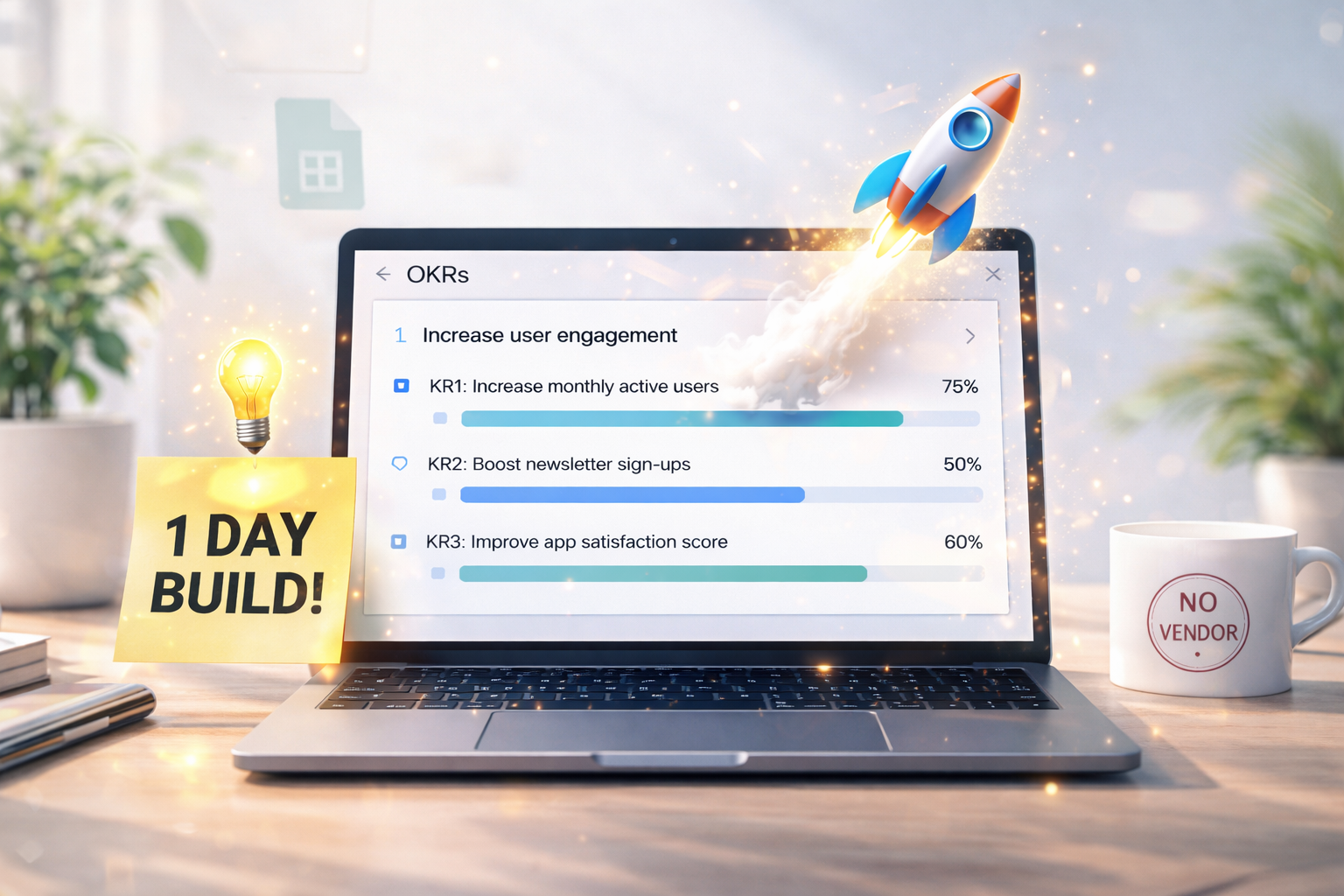
The Paradigm Shift: Buy vs. Build — I Built OKRsMatter in One Workday (So We Could Skip the SaaS)
Why I chose build over buy: OKRsMatter in one workday, skipping the SaaS, and what that shift says about how teams should roll out software.

The Last 10% Is the Moat
Getting to 90% with AI is table stakes. The separation happens in the last 10%. Here is what to test for when evaluating AI capability on your team.
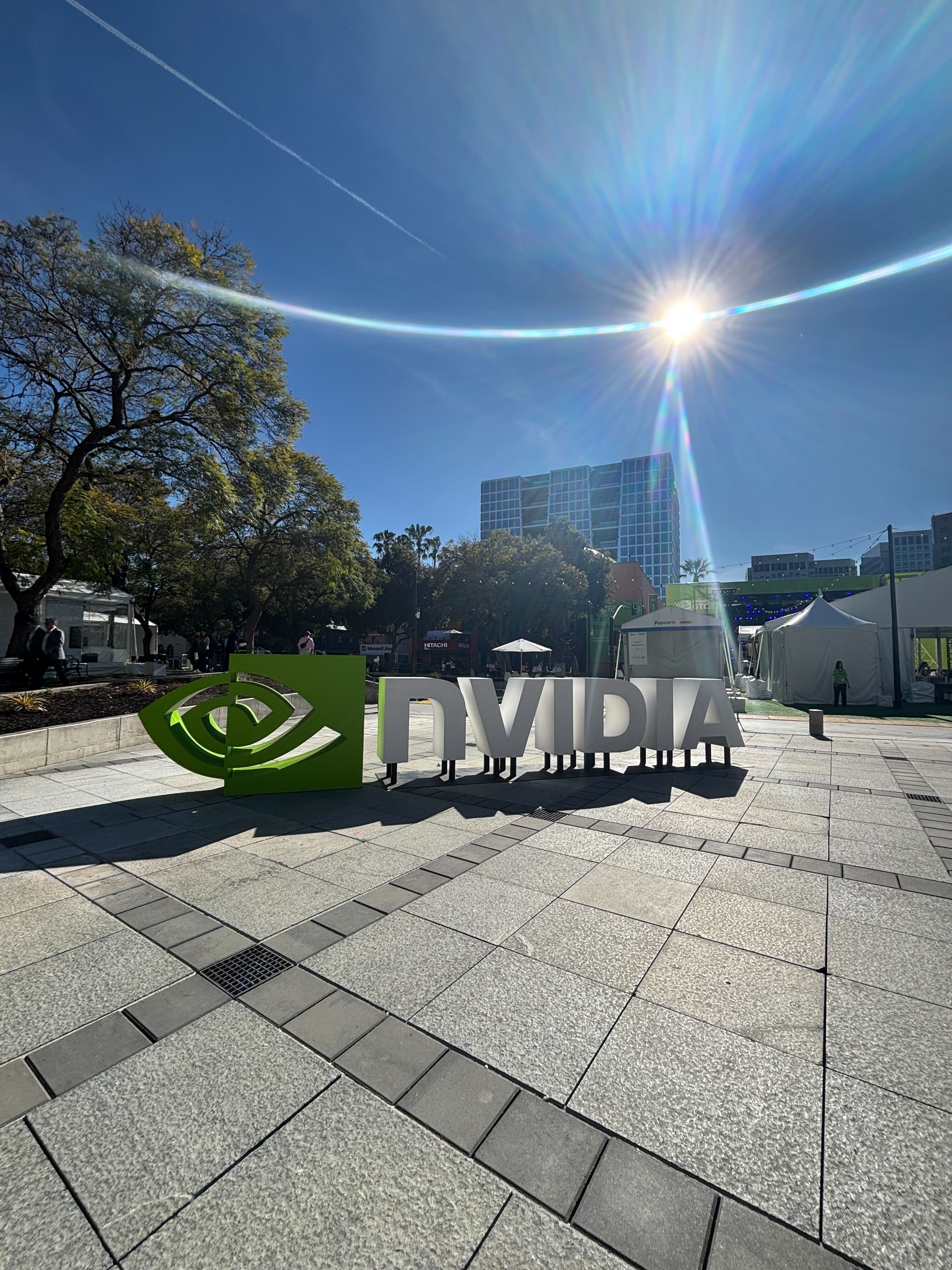
NVIDIA GTC 2026: The Shift Happening in Industrial Operations Right Now
Takeaways from NVIDIA GTC in San Jose. Leaders from Caterpillar, Hitachi Rail, GXO, Honeywell, and Medtronic on one stage talking about the same shift in industrial operations.

Working on a problem in manufacturing, AI, or scaling operations?
Let's connect →